









Creating a dedicated charging station for your devices can bring order to the chaos of tangled cables and scattered chargers. Whether you want a spot at home or in your office, a charging station helps keep your gadgets powered up and easy to find. This guide will walk you through the process of setting up a clean, efficient charging station that fits your space and needs.
Why Create a Charging Station?
Many of us use multiple devices daily — smartphones, tablets, laptops, wireless earbuds, smartwatches, and more. Charging these devices often means dealing with different cables and power adapters spread across rooms or desks. A centralized charging station not only organizes these items but also protects your devices and cables from damage.
Benefits include:
– Reduced clutter and tangled cords
– Easier access to chargers and devices
– Safer charging environment
– Aesthetic improvement of your workspace or living area
– Ability to charge multiple devices at once
Choosing the Right Location
The first step is deciding where to set up your charging station. Consider spaces that are convenient, have easy access to power outlets, and suit your daily routine.
Ideal Locations:
– Near your main workspace: If you work from home or an office, keep your charging station close to your desk.
– Living room or common area: Central spots work well for families or shared use.
– Bedroom: Perfect for charging overnight gadgets like phones or smartwatches.
– Kitchen counter: A high-traffic area where you often drop your devices.
Make sure the location has enough power outlets or can accommodate a power strip without causing a tripping hazard.
What You’ll Need
Before assembling your charging station, gather the necessary materials:
– Power strip or surge protector: Choose one with multiple outlets and built-in surge protection.
– Charging cables: USB-C, Lightning, Micro-USB, or others depending on your devices.
– Charging hubs or docks: These provide multiple USB ports in one compact unit.
– Cable organizers: Clips, sleeves, or ties help keep cables tidy.
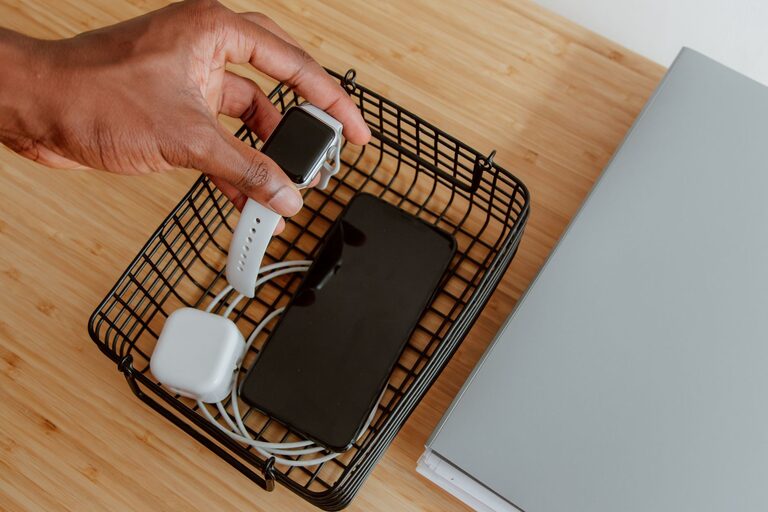
– Container or tray: A box, basket, or drawer organizer to hold devices while charging.
– Labeling materials (optional): Stickers or tags to mark cables and ports.
Step-by-Step Setup Guide
1. Assess Your Device Needs
List all devices you want to charge regularly. Note their charging requirements and cable types. This helps you choose the right charging hub and cables.
2. Select the Power Source
Plug a reliable power strip or surge protector into the chosen outlet. It’s best to pick one with enough outlets and USB ports to handle all your devices at once.
3. Organize Cables
Use cable clips or ties to group cables neatly. Labeling cables can simplify identifying which charger belongs to which device, especially in a busy charging station.
4. Arrange Charging Hubs and Adapters
Place USB charging hubs or adapters on or inside your container or tray. Position them so cables don’t get tangled or stretched.
5. Create Device Slots
Use compartments or dividers inside your container to separate each device. This prevents scratches and keeps devices upright and stable.
6. Test Your Setup
Plug in your devices one by one to ensure everything charges properly. Adjust cable lengths and organization if needed.
7. Maintain Your Station
Regularly check for worn cables and dust buildup. Keep only necessary chargers and cables in the station to avoid clutter.
Tips for an Efficient Charging Station
– Use fast-charging hubs if your devices support it — this saves time.
– Choose wireless charging pads for compatible devices to reduce cable use.
– Keep cords short to avoid tangling and excess slack.
– Incorporate a small timer or smart plug to control charging times and save energy.
– Decorate your station with a mat or a stylish container to blend it with your room’s decor.
Ideas for Different Settings
– Home Charging Station: A wooden or plastic tray on a side table with built-in USB hubs and slots for phones, tablets, and smartwatches.
– Office Desk Station: Compact charging stand that fits on your desk edge with multiple USB slots and cable management clips.
– Travel Charging Kit: A portable pouch with a multi-port charger and short cables for devices when on the go.
Conclusion
Setting up a dedicated charging station is a simple way to reduce clutter and keep your devices ready to use. With careful planning and a few supplies, you can create a system that makes charging hassle-free and organized. Whether you aim for a sleek, modern look or a practical setup, your charging station will bring convenience and peace of mind to your daily routine. Start today and enjoy the benefits of a neat, efficient space for all your devices.